What is On Page SEO for WordPress and Why Beginners Need It
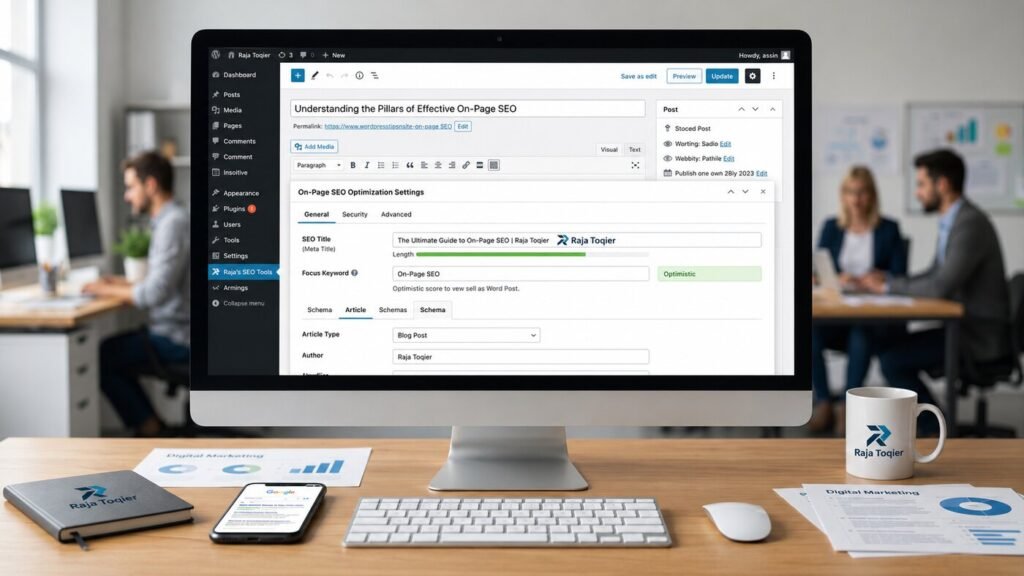
On Page SEO for WordPress refers to all the on-page optimization tools used directly within the WordPress dashboard: meta titles, header tags, permalinks, internal links, and schema markup. Working together with a reliable SEO technology company will make sure that these elements are properly set from the very start of the project, providing your website with a definite rank boost.
Key Takeaways:
- On-page SEO covers everything you control directly in WordPress: meta titles, headers, permalinks, internal links, images, and schema markup.
- Meta titles/descriptions don’t directly affect rankings, but they drive clicks, so keep titles under 60 characters and descriptions under 160.
- Use exactly one H1 per page, with a clean, nested H2 → H3 → H4 hierarchy – never skip levels.
- A WordPress SEO plugin (Yoast, Rank Math, or All in One SEO) automates sitemaps, meta tags, and basic schema – manually coded JSON-LD goes further and unlocks rich snippets.
- AI Overviews and generative search read content in chunks, not just keywords – put your clearest answer in the first 100 words of every section.
Treat on-page SEO as ongoing maintenance, not a one-time setup task – a title tag or schema block that was solid at launch can drift out of date within months as your content, plugins, and competitors change.
| On-Page Element | Recommended Beginner Action | Estimated Search Impact |
| Meta Titles & Tags | Include the target focus keyword at the very beginning of a 60-character title. | High (Direct Ranking Signal) |
| Header Hierarchy | Organize your guide with a single H1, followed by structured H2 and H3 tags. | Medium (Crawlability & Structure) |
| Image Assets | Compress file sizes for fast loading and apply keyword-descriptive Alt Tags. | Medium (Image Search & Accessibility) |
| Internal Links | Hyperlink target phrases to relevant service pages to distribute site authority. | High (Indexation Velocity) |
| Schema Markup | Manually deploy custom FAQ JSON-LD code blocks to earn rich snippets. | High (AI & Generative Engine Visibility) |
At rajatoqier.com, we’ve spent years combining web development with technical SEO, and the pattern is always the same: sites that get the on-page basics right outperform sites with bigger budgets but sloppier fundamentals.
Traditional Search Engine Indexes vs. Next-Gen AI Overviews
The old-fashioned formula for ranking well was keyword stuffing and linking. These elements are still relevant but not sufficient anymore. The AI Overviews and generative search experiences not only crawl and index but also break down your content into meaningful chunks and assess how well each chunk is responding to a particular query. That’s why the old approach of burying your answer three paragraphs deep no longer works.
| Traditional Indexing Trigger | AI LLM Semantic Parsing Path |
| Exact-match keyword density | Contextual entity relationships between topics |
| Static crawl-and-index cycles | Real-time chunk retrieval at query time |
| Backlink count as an authority signal | sameAs entity verification across the web |
| Long, narrative introductions | Answer-first semantic chunking within the first 100 words |
| Page rank based on link equity | Vector similarity between content and user intent |
Selecting Your Core Architecture: WordPress SEO Plugin Ecosystem
First of all, in order to make any SEO adjustments at all, you need to ensure that there is a proper infrastructure in place. This software layer is called a WordPress SEO Plugin, and it will generate an XML sitemap and add meta tags as well as handle your schema markup. The leading players in the field of plugins are Yoast SEO, Rank Math, and All in One SEO, and they each provide different options regarding your hidden metadata.
Choosing the right plugin is not just an aesthetic choice; this decision will affect the amount of your future manual work on the schema, your flexibility regarding the permalink structure, and many other things.
Yoast SEO vs. Rank Math vs. All in One SEO
| Feature | Yoast SEO | Rank Math | All in One SEO |
| Setup difficulty | Beginner-friendly wizard | Guided, more options | Simple, minimal |
| Native schema support | Basic Article/Org | Extensive, granular | Solid, improving |
| Free tier limits | Generous, some paywalled | Very generous | Generous |
| Redirect manager | Premium only | Included free | Included free |
| Best for | Simplicity-first beginners | Power users | Balanced, all-around |
If you’re just getting started, any of the three will get you further than having no plugin at all. What matters more than the brand name is that you actually configure it – most WordPress sites we audit have a plugin installed with the default settings never touched.
Ready to Build a Rock-Solid SEO Foundation?
Mastering Textual Optimization: The Ultimate WordPress On-Page SEO Checklist
Now that you have your plugin activated, the hard work starts by optimizing the text elements that the search engines and AI models will actually read. This means dialing in your Meta Title, Meta Description, URL Slug, and Focus Keyword for every single post and page.
Crafting Meta Titles and Descriptions That Trigger Clicks
Although your meta title and description won’t affect your ranking, they will greatly impact whether the user will click on your link or not. Keyword Placement at the beginning of each field tells users and AI tools about the relevance immediately.
- Keep meta titles under 60 characters so they don’t get truncated in the SERP.
- Keep your descriptions under 160 characters and finish with a reason why the user should click.
- Put your Focus Keyword within the first 5-7 words of the title.
- Make descriptions a tiny answer, not an enigmatic teaser.
- Avoid duplicate titles for different URLs – each URL should have its own title.
For a deeper look at why this still matters more than most site owners realize, we broke it down in Why Meta Tags on Your Website Still Matter for SEO Success.
Building Clean Permalinks and Optimized URL Slugs
The Permalink Structure must be short and readable without extra parameters. WordPress defaults to messy query strings unless you change this in Settings → Permalinks.
| Good URL Structure | Bad URL Structure |
| rajatoqier.com/on-page-seo/ | rajatoqier.com/?p=482 |
| rajatoqier.com/wordpress-seo-checklist/ | rajatoqier.com/2026/07/18/post-name-final-v2/ |
| Lowercase, hyphen-separated | Mixed case with underscores |
| 3–5 relevant words | Stuffed with 8+ keywords |
Structural Content Hierarchies Using Header Tags (H1, H2, H3, H4)
Header Tags (H1-H4) are not just for the sake of making things look nice – these are elements that create a map that shows the crawlers and AI models how your ideas are connected. Every page should have exactly one H1 tag, and the rest of the hierarchy should go as a nested tree structure.
- H1: Page Title
- H2: Main Section Question
- H3: Supporting Sub-Topic
- H4: Specific Detail or Example
- H3: Second Supporting Sub-Topic
- H3: Supporting Sub-Topic
- H2: Next Main Section Question
- H2: Main Section Question
Skipping the levels (going directly from H2 to H4) will make the outline messy and will reduce the semantic clarity that AI Overviews need to understand which part of your page is answering the question better.
Advanced Media Optimization and Interlinking Networks
Text isn’t the only thing search engines read. Image Compression, Alt Text, Internal Linking, and Anchor Text influence how effectively your site gets crawled and how the authority moves around the pages.
Image Compression and Alt Text Accessibility Workflows
Large, uncompressed images can be one of the most prevalent causes of failing Core Web Vitals tests in WordPress websites. The following is the process we undertake in all our projects:
- Scale down the image to its exact display size before upload.
- Compress the image using ShortPixel or Imagify.
- Convert it to WebP where supported by the theme.
- Add Alt text describing the image along with a relevant keyword where possible.
- Lazy load images that are located below the fold.
Mapping Hyperlinks: Descriptive Anchor Text and External Authority Links
External Authority Links: Links pointing out to trusted, high-authority sources signal to search engines that your content is well-researched rather than written in isolation. For instance, tools such as the AIOSEO On-Page SEO Checklist can be a good cross-referencing tool as you check yourself on how you have done things.
Internal linking should ensure you link to two to three other related pages per article. In addition, the anchors should not just read “click here.” Here is a simple blueprint for internal linking that we use:
- Ensure you link to your most important service page from every blog post, e.g., our on-page optimization services page.
- Link related educational content, like our guide on How to Create On-Page SEO Content That Drives Organic Traffic Fast.
- Ensure you always link your most important pages, such as the homepage, from cornerstone content.
- Use different keywords in your anchor text without just using the same keyword all the time.
Our Competitive Edge: Fixing High-Priority Semantic Gaps Missed by Competitors
Most of the time, the advice for WordPress SEO stops at installing a plugin and filling out meta information. That may seem like a basic starting point, but the winners in AI SEO take it much further.
Hand-Coding Advanced Nested Schema Markup (JSON-LD) over Basic Plugin Defaults
Schema Markup, also called Structured Data, is the code that explicitly tells search engines what your content means, not just what it says. Most plugins generate basic Article or Organization schema automatically, which is a fine starting point but leaves a lot of value on the table. JSON-LD is easy to code manually so that you may include object types such as AboutPage and ItemPage in the hierarchy and assign sameAs properties linking your author objects to legitimate entities on the outside, something that will facilitate unlocking Rich Snippets.
Example only – replace “Author Name” and the LinkedIn/X URLs below with the real author’s profile before this code is used on the live page:
{

  "@context": "https://schema.org",

  "@type": "AboutPage",

  "mainEntity": {

    "@type": "Person",

    "name": "Author Name",

    "sameAs": [

      "https://www.linkedin.com/in/author-profile",

      "https://twitter.com/author-handle"

    ]

  }

}
Such manual coding makes for a much more sophisticated structure than anything that can be produced using just the default plugin settings and is a major reason why some websites get rich results while similar websites cannot.
Optimizing Crawl Budgets: Server-Side Rendering (SSR) and Client-Side Script Mitigation
JavaScript-heavy client-side rendering can ruin your rankings because it may slow down the crawling process done by AI crawlers such as GPTBot and ClaudeBot. Moving critical content to server-side rendering, or at minimum pre-rendering it, ensures bots see your full page immediately instead of an empty shell waiting on scripts to execute.
| Optimization Tweak | Impact |
| Server-side render critical content | Bots read full content on first request |
| Defer non-critical JavaScript | Faster Largest Contentful Paint |
| Minify CSS and JS files | Smaller payload, faster parse time |
| Enable browser caching | Fewer repeat requests for the same assets |
| Reduce third-party scripts | Less blocking time before interactivity |
For a broader framework on tying all of this together, our post SEO On-Page SEO: The Complete Blueprint to Rank Higher in 2026 walks through how these technical pieces fit into a full content strategy.
Partner with a Specialized Technical SEO Expert
To make sure your technical layer is working well, you need to pay constant attention to it, and to be honest, this is where many in-house teams lack the necessary time. Should you want to entrust us with hand-coding the schema, doing server-side rendering, and dealing with crawl budget management while you take care of your business, you can contact us using our contact form, and we will explain everything you need.
Frequently Asked Questions
SEO optimization of on-page elements in WordPress is the process of optimizing various elements that you have on your WordPress site, such as the titles, headers, content, internal linking, and schema markup.
On-page SEO covers everything you control directly on your website, such as meta tags, content quality, and site structure. Off-page SEO includes external ranking signals such as backlinks, social shares, and external citations, which create authority for the website from the outside.
The best SEO tool depends on individual preferences. However, there are several highly effective tools that you can choose from: Yoast SEO, Rank Math, and All in One SEO. Rank Math offers more free functionality, but Yoast is famous for being user-friendly to beginners.
No – on-page SEO gives search engines and AI models the clearest possible signal about what your page covers, but it works alongside off-page factors like backlinks and brand mentions. Strong on-page fundamentals make every other ranking effort more effective; they don’t replace the need for authority signals from outside your site.
Typical SEO errors are duplicate meta title tags, images not optimized for fast loading, omission of headers in the order of hierarchy, thin internal linking, and using only default plug-in settings instead of schema markup manually.