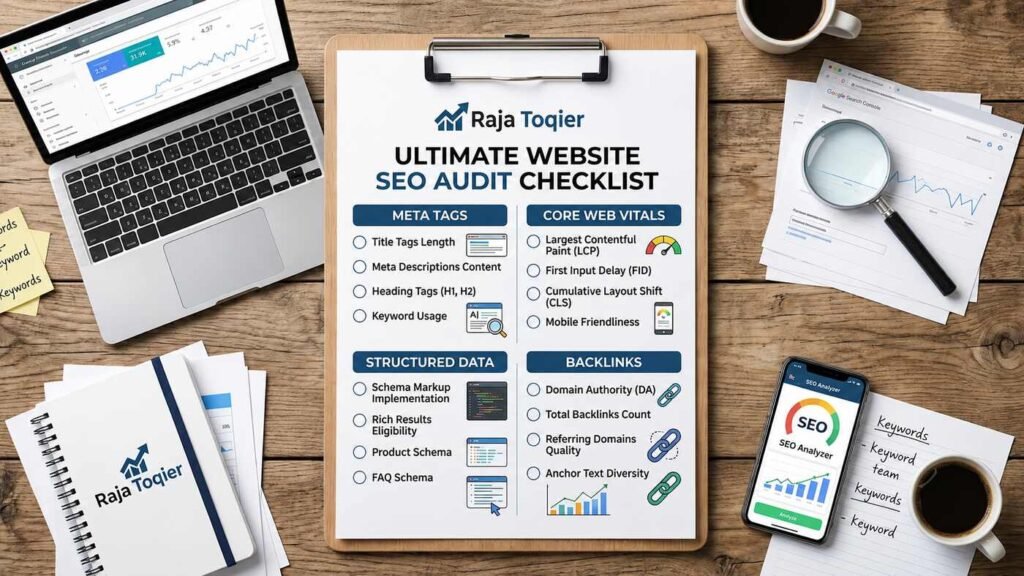
How to Check Your Site’s SEO Performance
To conduct an effective SEO site audit, a comprehensive review of seven essential categories of SEO performance indicators – meta tags, indexing signals, structured data, Core Web Vitals, heading hierarchy, backlinks, and crawlability – should be conducted manually either before or instead of any one of the available automated tools. Below, we will cover all steps in detail, including the list of native Google tools and free checkers you could complement your review with.
Key Takeaways:
- Conduct a manual audit of 7 categories of SEO performance indicators before accepting a score provided by any one of the automated scanners.
- Field data (CrUX) shows what real visitors experienced; lab data (Lighthouse) shows why.
- Specialized crawlers like GPTBot, ClaudeBot, and PerplexityBot should be handled separately – otherwise, blocking them will effectively disqualify you from getting AI answers.
- A score of 80%+ means minor optimization only; below 30% needs immediate action.
- Structured data (schema) tells search engines and AI systems exactly what your page is about.
Most people searching for how to check SEO site health get funneled straight into a scanning tool that spits out a score with no context. This will provide you with a good temperature test; however, it does not give you any insights into the reasons for poor SEO performance and will definitely miss some technical peculiarities. This guide takes the opposite approach: a manual, step-by-step process first, with the best free tools slotted in only where they genuinely add value.
If you’d rather skip the DIY route entirely, our team runs full technical SEO audits covering every item on this checklist and more.
Everything below builds on the fundamentals we cover across our SEO guides, so treat this as the starting checkpoint, not the finish line.
The Complete Manual SEO Audit Checklist: 7 Steps to Diagnose Your Site Today
Before you open a single tool, work through these seven steps in order. Every one of them addresses a different layer of evaluation of a web page by search engines – and AI answer engines.
Step 1: Audit Meta Tags & Meta Descriptions
Meta tags and meta descriptions are still the very first things that crawlers and visitors of your website see, so begin there:
- Title tag is shorter than 60 characters and includes the main keyword at the beginning.
- Meta description is under 160 characters and gives a clear reason to click
- No duplicate title tags or meta descriptions across pages
- Every indexable page has both tags present – none left blank
Step 2: Verify Robots.txt & Canonical Tag Directives
Robots.txt and canonical tags manage the crawling process and determine which versions are real and which should be ignored. Check for:
- A canonical tag on every page pointing to the correct URL
- No accidental Disallow rules blocking pages you actually want indexed
- Robots.txt is reachable at the root domain and returns a 200 status
- Canonical tags aren’t pointing to a redirected or 404’d URL
<link rel="canonical" href="https://example.com/page/" />For a deeper walkthrough of this exact process, see our step-by-step guide to checking website SEO like a pro.
Step 3: Confirm XML Sitemap Coverage & Indexability
Your sitemap should be a clean, accurate map of what you actually want indexed:
- Confirm the sitemap exists and is submitted at /sitemap.xml.
- Cross-check that every important page is listed and no noindex’d pages are included.
- Verify pages in the sitemap are actually getting indexed, not just submitted.
How to Check Index Status in Google Search Console
Open Search Console, run the URL Inspection tool on the page in question, then check the Coverage report for the site as a whole. A page whose status is “Indexed” is a live page in search results; everything below “Excluded” requires checking – for example, an unwanted noindex tag or incorrect canonical link.
Step 4: Validate Structured Data & Schema Markup
Structured data informs search engines and AI systems about what the page is about, not only about the content itself.
Schema Types That Matter Most
| Schema Type | Purpose | Best For | Validation Tool |
| Article | Marks up blog/news content | Blog posts, editorial content | Rich Results Test |
| FAQPage | Marks up Q&A content | FAQ sections, support pages | Rich Results Test |
| HowTo | Marks up step-by-step processes | Tutorials, recipes, guides | Schema Markup Validator |
| Product | Marks up product details | E-commerce listings | Rich Results Test |
| BreadcrumbList | Marks up site hierarchy | Any multi-level site | Schema Markup Validator |
JSON-LD Validation Workflow
- Run the page through Google’s Rich Results Test to catch eligibility issues
- Cross-check with the Schema Markup Validator for syntax errors
- Fix any flagged errors and re-test before publishing
Step 5: Test Core Web Vitals (Field Data vs. Lab Data)
| Metric Source | Data Type | Reported By | Best Used For |
| CrUX (Chrome UX Report) | Field / real-user data | Search Console, PageSpeed Insights | Understanding actual visitor experience |
| Lighthouse | Lab / synthetic data | PageSpeed Insights, Chrome DevTools | Diagnosing specific performance bottlenecks |
Field data tells you what real visitors experienced; lab data tells you why. Use CrUX to know if there’s a problem, and Lighthouse to find out what’s causing it.
Step 6: Review Heading Hierarchy (H1-H6) & Internal Linking
- Exactly one H1 per page
- Headings nest logically – H2 to H3, never skipping straight to H4
- 2-3 contextual internal links per 500 words of content
- Anchor text describes the destination page, not generic “click here” phrasing
Step 7: Check Backlink Profile & Domain Authority Score
Backlinks remain one of the strongest ranking signals, so scan for:
- A sudden spike in low-quality or spammy referring domains
- Low diversity in referring domains – too many links from too few sources
- Toxic or over-optimized anchor text concentrated on a handful of phrases
Manual audits catch a lot – but a full technical crawl catches everything. If Step 4 or Step 5 above turned up more issues than you expected, our SEO audit service does the deep technical work for you.
How to Read Your SEO Score: What’s Actually “Good”?
| Score Range | Rating | What It Means |
| 80-100% | Strong foundation | Minor optimization only |
| 30-79% | Optimization potential | Fix prioritized issues |
| Below 30% | Critical issues | Immediate action required |
A number alone doesn’t mean much without this context. A 45% score isn’t a failing grade – it’s a prioritized to-do list.
Best Free SEO Checker Tools Compared (2026)
| Tool | Best For | Free Scan Limit | Notable Feature |
| SEMrush Site Audit | On-page, technical & speed factors | Limited pages per project on free tier | Broad technical error detection |
| Seobility SEO Checker | Metadata & structural gaps | 1 free project, weekly crawl | Numeric score benchmarking |
| Ahrefs Site Audit | Critical technical errors & indexing | Free via Ahrefs Webmaster Tools (verified sites) | Deep crawl diagnostics |
| SEO Site Checkup | Domain-wide + AI visibility checks | Single free scan per domain | LLM-readiness scanning |
| SEOptimer | Quick external audits & white-label reports | Free instant report | Fast, shareable scorecards |
Prefer expert eyes on your scan results? We can turn any of the free-tool reports above into a prioritized action plan – starting with a free SEO audit.
When an Automated Tool Beats a Manual Check
Automated tools come in handy when you have to monitor dozens and even hundreds of web pages periodically. This manual checklist can be used for one-time diagnostics or to learn the mechanics of SEO.
Essential Native Google Tools to Pair With Any SEO Check
Google Search Console
Free, direct from Google, and the only place that shows you exactly how Google sees your indexing status, search queries, and any manual actions against your site.
Google PageSpeed Insights
Free, and reports both Lighthouse lab data and real-world CrUX field data side by side – the same distinction covered in Step 5 above, so you can cross-reference results directly.
Advanced Technical Checks Most SEO Checkers Skip
This is where most free tools end, and the serious technical work begins.
Optimizing for AI Crawlers: llms.txt, GPTBot, ClaudeBot & PerplexityBot
AI answer engines crawl your site with their own user-agents. Audit your server logs and robots.txt file to see how you handle GPTBot, ClaudeBot, PerplexityBot, and other crawlers – automatically disallowing such bots will lead to no content appearing in the AI Overviews and in the responses of chatbots.
llms.txt vs. robots.txt: What’s the Difference?
| File | Purpose | Controls Access For |
| robots.txt | Crawl directives for search and AI bots | Traditional search crawlers and AI crawlers alike |
| llms.txt | Curated, LLM-readable summary of site content | AI models looking for structured, citable context |
Worth knowing: as of now, no major AI provider – OpenAI, Anthropic, or Google has confirmed official support for llms.txt as a crawling standard; it remains a community-proposed format. Publishing one won’t hurt, and it can help AI tools and coding agents parse your site faster, but treat it as a forward-looking addition, not a guaranteed visibility lever.
International SEO: Hreflang, Canonical Chains & Pagination
- Missing reciprocal hreflang tags – each language version should reference every other version, including itself
- Circular or chained canonical tags that never resolve to a single final URL
- Paginated series without proper rel=”next”/rel=”prev” or self-referencing canonicals
Crawl Budget Optimization & Log File Analysis
- Export raw server logs covering at least a 30-day window.
- Filter requests by bot user-agent – Googlebot, Bingbot, GPTBot, and similar.
- Determine the waste of your crawl budget on non-valuable, duplicate or parameterized URLs.
For a broader look at where hidden technical issues tend to hide, see our post on unlocking hidden growth opportunities in an SEO analysis.
Crawl budget waste and AI-crawler misconfiguration rarely show up in a free scanner. These are exactly the kind of issues our technical SEO service is built to catch and fix.
DIY Checklist vs. Professional SEO Audit: Which Do You Need?
This checklist will get you most of the way there for a single site with a manageable page count. After you start dealing with the management of a multi-hundred-page site or an e-commerce catalog with thousands of SKUs, you realize that manual checking does not scale anymore, and this is where an audit becomes necessary rather than nice to have.
If any of that sounds like where you are, it’s worth reaching out for a quick consultation before you sink more hours into manual checks that a proper crawl would surface in minutes.
Frequently Asked Questions About Checking Your Site's SEO
Not one tool can be named the best, as they differ in their applicability for particular cases. SEMrush and Ahrefs provide the deepest technical crawls for larger websites, Seobility provides numerical results for smaller websites, and SEOptimer offers the fastest way to check the external site performance. For continuous monitoring, SEO Site Checkup offers an additional option.
Yes. Seobility, SEMrush Site Audit, Ahrefs Webmaster Tools for verified sites, and SEOptimer all offer free scans, and Google Search Console shows your actual search rankings and click-through data at no cost.
The use of AI can accelerate some of the processes – such as the generation of meta descriptions, finding content gaps, or summarizing the results of crawl analysis – but it cannot substitute for validation of the real signals – indexing, Core Web Vitals field data, or backlinks.
After checking your content based on the above manual list of criteria – meta description, headings, and internal links – run a free check via any website performance checker such as Seobility or SEMrush Site Audit.
It’s not possible to reach a score of “100%” for any website – the most effective ones are in the range of 80%. Thus, treat scores higher than 80% as a good base and work with the remaining 20-30%.