How to Transfer a Website to a New Domain Without Losing SEO
To transfer a website to a new domain without losing SEO, create a complete backup, migrate your website files and database, update all internal URLs, configure 301 redirects, verify the new domain in Google Search Console, and monitor indexing after launch. Following these steps helps preserve rankings, maintain organic traffic, and ensure a smooth website migration.
Website Migration Checklist
| Step | Task |
| ✓ | Back up website files and database |
| ✓ | Prepare a new hosting environment |
| ✓ | Update internal URLs and database references |
| ✓ | Configure 301 permanent redirects |
| ✓ | Verify the new domain in Google Search Console |
| ✓ | Submit the new XML sitemap |
| ✓ | Test redirects and monitor indexing |
Though it all looks pretty straightforward in five steps, each one of those phases has its own issues, and most how-to articles just brush over the bits that really mess up ranking. Before we get to the nitty-gritty of how this works, it may help to distinguish two processes that often confuse – the domain transfer (which is more about the legal and paperwork aspect and involves getting an Authorization / EPP code from your registrar) versus the migration of the site itself, with all its files and database, to a new domain and hosting setup. Registrar-based services like Hostinger give you detailed instructions for the transfer of the domain from your registrar, but this is something else.
Domain Transfer vs Website Migration
| Domain Transfer | Website Migration |
| Transfers ownership between registrars | Moves website files and database |
| Requires an authorization (EPP) code | Requires file and database migration |
| Usually has little SEO impact | Can affect SEO if handled incorrectly |
| Managed through your domain registrar | Managed through your hosting/server |
| Does not require redirects | Requires 301 redirects to preserve rankings |
Pre-Migration Architecture: Preparing Files, Server Environment, and Security Controls
A rushed migration is where most ranking loss actually originates. Before you touch a single file, you need a staging plan that covers your backend server, your database integrity, and your security posture on the destination environment.
Complete Database Backup & File Export (MySQL / MariaDB & Root Directory)
Skip the plugin shortcuts for this step. A complete Database Backup will require an export of all of your MySQL / MariaDB tables in raw form from the server level by means of mysqldump along with an archive that covers the entire contents of your Root Directory, which includes all theme files, plugins, media uploads, and configuration files. Backup plugins are convenient for routine snapshots, but for a domain migration you want a verifiable, restorable copy you control directly:
- Run mysqldump -u [user] -p [database_name] > backup.sql to export the full database
- Archive the entire root directory with tar -czvf site_files.tar.gz /path/to/root
- Store both copies off-server (cloud storage or local drive) before proceeding
- Test-restore the backup on a local or staging environment to confirm integrity
DNS TTL (Time to Live) Pre-Mitigation Strategy to Prevent Downtime
This is the step most competitor guides skip entirely, and it’s the one that causes visitors to see a broken site mid-migration. The DNS TTL (Time to Live) value dictates the period that ISPs and resolvers cache your DNS information for, which means that if the value is left set to the default value (usually 24 hours or longer), then some users will continue to be directed towards your old server even after switching the Nameservers.
Pre-Cutover DNS Adjustment Steps:
- Log into your DNS management panel 24-48 hours before the planned migration
- Lower the TTL value on your A record and CNAME records to 300 seconds (5 minutes)
- Wait for the original TTL window to fully expire so the lower value propagates
- Proceed with the domain cutover only after confirming the shortened TTL is live
Pre-Migration Security Verification & SSL/TLS Provisioning
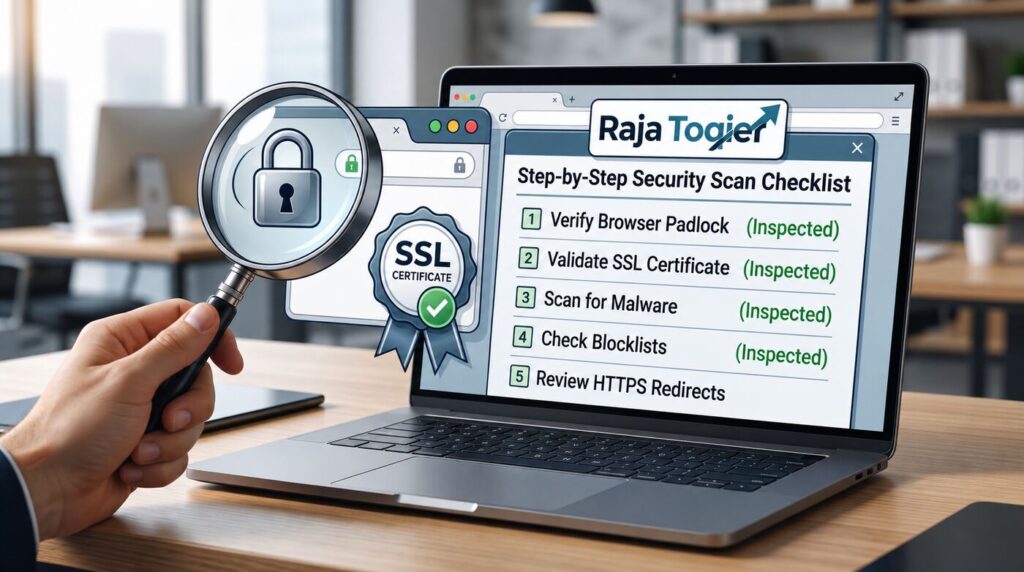
SSL/TLS Certificate must be provisioned on your new server before switching DNS. Otherwise, your new domain will receive HTTPS warnings by both users and crawlers, which will prevent the website from getting indexed at the worst possible time. This is also the right time to run a full security check on the destination environment: file permissions, outdated software versions, and firewall rules. If you want a second set of eyes on this before cutover, our website security services cover pre-migration hardening as part of the audit.
It might be worthwhile considering a technical audit of your site before migration of any files, as our website security team will identify misconfigurations that would otherwise become very costly for your ranking.
Need to Make Sure Your Website Is Ready for Migration?
Data Migration & Database Search-and-Replace Mechanics
Once your backup is secure and your destination server is hardened, the next phase is where a surprising number of migrations quietly self-destruct: updating the URLs baked into your database.
Updating Absolute URLs and Hardcoded Domain Strings Safely
WordPress and other CMS systems usually keep the Absolute URLs, including the domain name and paths, saved directly in the database, which can be included in Serialized PHP Data structures for widget settings, theme customizer, and page builders. An execution of an unfiltered SQL query of the form “UPDATE table SET url=replace(url, ‘olddomain.com’, ‘newdomain.com’)” will successfully replace the old URLs with new ones, but the length counters, stored alongside serialized data by PHP, will not be updated. Corrupted serialization will lead to problems with widget output, menu rendering, or even whole page layout.
The safe approach is SQL Find and Replace through a serialization-aware tool, most commonly wp search-replace via WP-CLI, which recalculates those byte-length values as it rewrites each string. For non-WordPress stacks, dedicated Database Migration Plugins or scripts built specifically to handle serialized data serve the same purpose.
Comparative Framework: WP-CLI vs. Migration Plugins vs. Manual SQL Imports
| Migration Method | Serialized Array Safety | Risk Profile | Execution Speed | Recommended Use Case |
|---|---|---|---|---|
| WP-CLI (wp search-replace) | Safe – recalculates byte lengths | Low | Fast (command-line) | Developers comfortable with SSH access |
| Migration Plugins | Safe – built-in serialization handling | Low to Moderate | Moderate | Non-technical users, smaller sites |
| Manual SQL Import/Replace | Unsafe – corrupts serialized strings | High | Fast but risky | Not recommended for CMS databases |
For a deeper walkthrough of this exact workflow, our earlier guide on migrating your WordPress site without losing traffic or data covers the WP-CLI process step by step.
Wondering if your current database schema will allow you to do this safely? You can quickly check it technically via our SEO audit service, as possible problems with serialization and crawling can be detected beforehand.
Setting Up Server-Level 301 Permanent Redirects (Apache vs. Nginx Stacks)
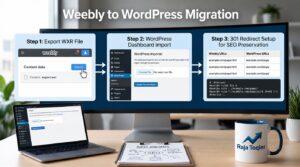
When you have already moved files and the database to your new hosting account, it is necessary to set up redirection of all old URLs to their new counterparts. It can be done via 301 Permanent Redirects, and the actual command will depend on the web server being used.
Apache & LiteSpeed Optimization: Hand-Coding the .htaccess File
The most popular and managed WordPress hosting uses either Apache or LiteSpeed or Nginx, but Apache and LiteSpeed read redirect rules from the same place, namely, from the .htaccess File located in your root directory. A clean rule set uses RewriteEngine On along with a RewriteRule pattern that maps old paths to their new domain equivalents, written to avoid redirect chains, where one redirect points to another redirect instead of directly to the final destination.
Nginx Server Block Configuration (Directives & Pattern Matching)
Nginx doesn’t read .htaccess files at all, which is exactly why so many migration guides fall short; they only cover Apache. On an Nginx stack, redirects live inside the server block configuration itself, using a directive along the lines of return 301 https://newsite.com$request_uri; inside the relevant server block. In case your host uses Nginx and redirects don’t seem to work, you should take a look at the server block, as the .htaccess file in your root directory will simply not be considered.
Protocol-Level & HSTS Redirect Requirements
If your site enforces HTTP Strict Transport Security, browsers will refuse to follow a 301 redirect unless a valid SSL/TLS certificate is active and reachable on both the old and new domains at the same time. Neglecting this can be the cause why your redirects won’t seem to work right after cutover, the browser blocks this hop for security reasons and not because the redirect rule is wrong.
Search Engine Re-indexing & Google Search Console Change of Address Workflow
Redirects tell browsers and crawlers where to go. Google Search Console and its Change of Address Tool tell Google specifically that this is a permanent, intentional site move, which speeds up how quickly your new domain inherits the old one’s ranking signals.
Step-by-Step Google Search Console Change of Address Tool Protocol
- Verify ownership of the new domain as a fresh property inside Google Search Console
- Confirm your 301 redirects are live and resolving correctly across the full site
- From the old verified property, open Settings and run the Change of Address tool
- Select the verified new domain property as the destination and confirm the change
- Submit an updated XML Sitemap for the new domain to accelerate re-crawling
Updating Canonical Tags, XML Sitemaps, and Robots.txt Directives
Every page on the new domain should carry a self-referential Canonical Tags value pointing to its own new-domain URL, not the old one. At the same time, leave the 301 headers active on the old domain rather than blocking it in robots.txt; blocking crawler access to a domain mid-redirect can actually waste Crawl Budget and delay the ranking transfer Google is trying to process.
Not Sure Everything Has Been Configured Correctly?
Post-Migration Technical Auditing & Link Equity Preservation
After cutover and notifying Google about that, your work is in verifying that no mistakes were made and that all the authority you had with the previous domain actually transfers.
Common SEO Mistakes During Domain Migration
Avoid these common mistakes when transferring your website to a new domain:
- Forgetting to configure 301 redirects for every important URL
- Blocking the new website in robots.txt
- Leaving canonical tags pointing to the old domain
- Missing internal links that still reference the old domain
- Launching the new domain without an SSL certificate
- Not submitting the new XML sitemap to Google Search Console
- Removing the old domain too soon
- Creating redirect chains instead of direct 301 redirects
Forgetting to migrate Google Analytics and Search Console
Identifying Redirect Chains, Redirect Loops, and 404 Spikes
Run a full crawl of the new domain within the first 48-72 hours and again after a week. Pull server logs to see exactly how Googlebot is behaving on the new domain, not just how a crawler tool sees it.
- Check for redirect chains: old URL → intermediate redirect → final URL and collapse them to single-hop redirects
- Scan for redirect loops, where a URL redirects back to itself or into a circular pattern
- Flag any un-redirected media assets (images, PDFs, downloadable files) still pointing to the old domain
- Monitor Search Console’s Coverage report for a spike in 404 errors in the days following cutover
Reclaiming Inbound Link Equity & Updating High-Value Backlinks
301 redirects preserve most link equity, but not all of it passes through indefinitely, especially on high-value backlinks from major referring domains. Find out what your top referral sources are and contact them asking to change the link, directing it to your new domain. This is also a good moment to update your own internal link profile, social bios, directory listings, and any partner sites that reference your old URLs.
While weighing your options as to whether to manage the process internally or to have a technical consultant oversee the server-side migration, our beginner’s guide on migrating WordPress site step by step will be of great help, and we provide all technical services for any aspect of a successful transition, including the audit and cutover. Where a migration gets complicated due to multiple subdomains, an e-commerce store, or backlinks, a consultation would come in handy prior to beginning the migration of your files to make sure that the redirect mapping and DNS timing are planned rather than improvised during migration.
Frequently Asked Questions
Yes, a live website can be moved to a completely new domain by backing up the files and database, deploying them to the new domain’s hosting environment, updating hardcoded URLs in the database, and setting up server-level 301 redirects so visitors and search engines are forwarded automatically.
Losing SEO during a migration is preventable: back up the site, move files and the database using serialization-safe tools like WP-CLI, configure 301 redirects on every old URL, update canonical tags, and submit a Change of Address request in Google Search Console so rankings transfer to the new domain.
Migration of a domain can have a temporary effect on crawlability, indexing, and search engine ranking if not done right. With correct 301 redirects, updated canonical tags, and a Change of Address request in Google Search Console, most websites experience only a short-term impact on their rankings.
Not if MX records are migrated deliberately. The email delivery is carried out via separate DNS MX records rather than your domain’s A record, and therefore the inboxes will not be affected during the migration, provided that the DNS zone is migrated along with the necessary MX records.
Cost varies with scope. A simple website with WP-CLI database migration and 301 redirects can normally be transferred at an affordable price, whereas complex websites with complicated backlink structures, online shops, or custom programming usually demand a more technical approach.