Why Core Web Vitals Matter for Your WordPress Site
Google’s Core Web Vitals are a set of metrics that measure real-world user experience, directly impacting your search engine rankings and overall site success. If you’re looking to improve Core Web Vitals WordPress performance, you’ve come to the right place. This comprehensive guide will walk you through step-by-step strategies to optimize your WordPress website for better loading speed, interactivity, and visual stability, ensuring a superior experience for your visitors and a stronger presence in search results.
Understanding Core Web Vitals: LCP, FID, and CLS
Before diving into optimization, it’s crucial to understand what Core Web Vitals are and why they’re important. These metrics are part of Google’s initiative to quantify the user experience of web pages. The three main Core Web Vitals are:
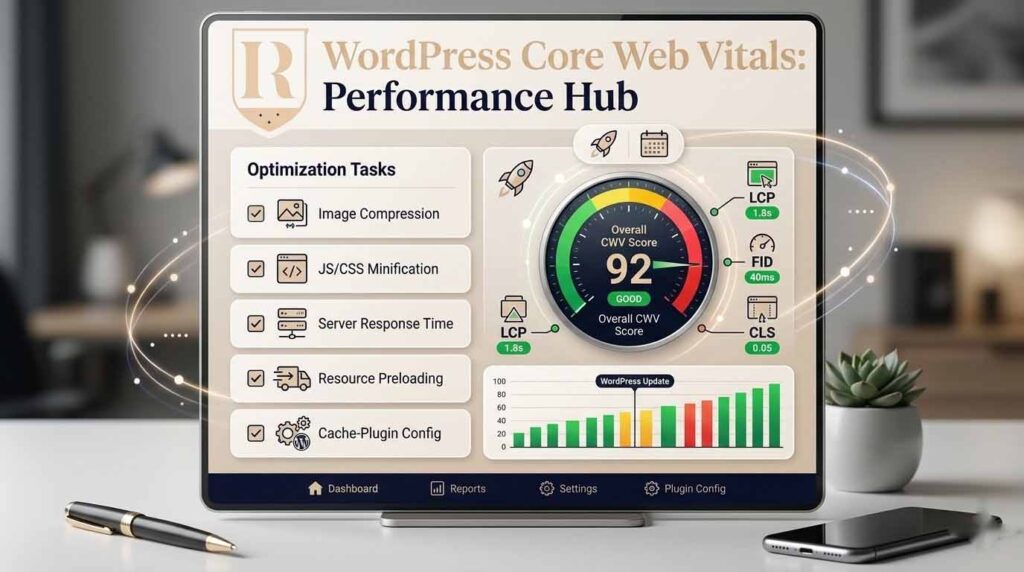
- Largest Contentful Paint (LCP): Measures loading performance. It reports the render time of the largest image or text block visible within the viewport. A good LCP score is 2.5 seconds or less.
- First Input Delay (FID): Measures interactivity. It quantifies the time from when a user first interacts with a page (e.g., clicks a button) to when the browser is actually able to begin processing event handlers in response to that interaction. Google is transitioning to Interaction to Next Paint (INP) as the primary metric for responsiveness, which measures the latency of all user interactions with a page.
- Cumulative Layout Shift (CLS): Measures visual stability. It quantifies the amount of unexpected layout shift of visual page content. A low CLS score (0.1 or less) indicates a stable page.
Optimizing these metrics is not just about pleasing Google; it’s about providing a seamless and enjoyable experience for your users, which ultimately leads to higher engagement and conversions. For a deeper dive into the importance of these metrics, especially LCP, you can refer to our detailed article on How to Improve LCP in WordPress for Faster Page Load and Better Rankings.
Step-by-Step Strategies to Improve Core Web Vitals in WordPress
Achieving excellent Core Web Vitals scores requires a multi-faceted approach. Here are actionable steps you can take to optimize your WordPress site.
1. Enhance Server Response Time (Time to First Byte – TTFB)
The Time to First Byte (TTFB) is the duration from when a user makes an HTTP request to when the first byte of the page is received by the browser. A slow TTFB can significantly delay LCP. To improve it:
- Choose Quality Hosting: Invest in a reliable and fast WordPress hosting provider. Managed WordPress hosting or a Virtual Private Server (VPS) can offer better performance than shared hosting.
- Implement Caching: Utilize a robust page caching plugin like WP Rocket, LiteSpeed Cache, or W3 Total Cache. Caching stores static versions of your pages, reducing server load and speeding up delivery. Consider full-page caching for anonymous traffic and object caching.
- Optimize Database: Regularly clean and optimize your WordPress database. Remove old revisions, spam comments, and transient options to keep it lean.
- Update PHP Version: Ensure your server runs the latest stable PHP version (e.g., PHP 8.0 or higher) for significant performance gains.
2. Optimize Images and Media
Images are often the largest contributors to LCP and overall page load time. Proper optimization is crucial:
- Compress Images: Use image compression plugins (e.g., Smush, Imagify) to reduce file sizes without compromising visual quality.
- Use Next-Gen Formats: Convert images to modern formats like WebP and AVIF image formats, which offer superior compression. Many plugins can automate this conversion.
- Lazy Load Images: Implement lazy loading images for images and videos that are
below the fold. This ensures they only load when they enter the user’s viewport, reducing initial page load time. - Serve Scaled Images: Ensure images are served at the correct dimensions. Avoid uploading large images and then scaling them down with CSS.
3. Leverage a Content Delivery Network (CDN)
A CDN distributes your website’s static assets (images, CSS, JavaScript) across multiple servers globally. This reduces latency by serving content from the server geographically closest to the user. Popular CDN services include Cloudflare, Sucuri, and KeyCDN. CDN integration for static assets is a powerful way to improve global loading speeds.
4. Eliminate Render-Blocking Resources
Render-blocking CSS and JavaScript files prevent the browser from rendering the page until they are fully loaded and parsed, directly impacting LCP. To address this:
- Defer JavaScript: Use the defer attribute for JavaScript files not critical for the initial page render. This allows background downloading without blocking rendering. You can also defer non-critical JavaScript through optimization plugins.
- Remove Unused CSS: Identify and remove CSS that isn’t used on a particular page. Plugins can help generate critical CSS for above-the-fold content optimization and defer the rest.
- Inline Critical CSS: For small amounts of CSS essential for the initial render, inline it directly into the HTML to avoid additional HTTP requests.
5. Preload Critical Resources
Preloading tells the browser to fetch important resources (like fonts, images, or CSS files) early in the loading process. If your LCP element is a specific image or font, preloading can significantly speed up its appearance. Use the <link rel=”preload”> tag in your HTML.
6. Optimize Your Theme and Plugins
Your WordPress theme and plugins can heavily influence performance. Choose lightweight, well-coded themes and only install essential plugins. Regularly review and remove any unused or poorly optimized plugins that contribute to plugin bloat and script overhead.
7. Minify CSS and JavaScript
Minification removes unnecessary characters (whitespace, comments) from your CSS and JavaScript files, reducing file sizes and improving download times. Most caching plugins offer minification features.
8. Optimize Fonts
Web fonts can be a significant performance bottleneck. To optimize them:
- Host Fonts Locally: If possible, host Google Fonts or other custom fonts locally on your server to reduce external requests.
- Preload Fonts: Preload critical fonts that are used on your initial page load.
- Use font-display: swap: Implement the font-display swap setting in your CSS. This tells the browser to use a fallback font until the custom font is loaded, preventing invisible text during loading.
Monitoring and Continuous Improvement
Optimizing Core Web Vitals is an ongoing process. Regularly monitor your website’s performance using tools like Google PageSpeed Insights and Google Search Console Core Web Vitals report. Pay attention to both real user data vs lab data to get a comprehensive understanding of your site’s performance in the wild. These tools provide valuable insights and actionable recommendations for further improvements.
Conclusion
Improving Core Web Vitals in WordPress is essential for enhancing user experience, boosting SEO rankings, and ultimately driving business success. By systematically addressing server response times, optimizing images, leveraging CDNs, eliminating render-blocking resources, and fine-tuning your theme and plugins, you can achieve significant performance gains. Remember, a faster, more stable website not only pleases search engines but also delights your visitors, turning them into loyal customers.
For comprehensive assistance with your Core Web Vitals optimization needs, including expert guidance on Technical SEO and a thorough SEO Audit Service, feel free to contact us today. We are dedicated to helping businesses like yours unlock their website’s full potential and achieve outstanding online results.